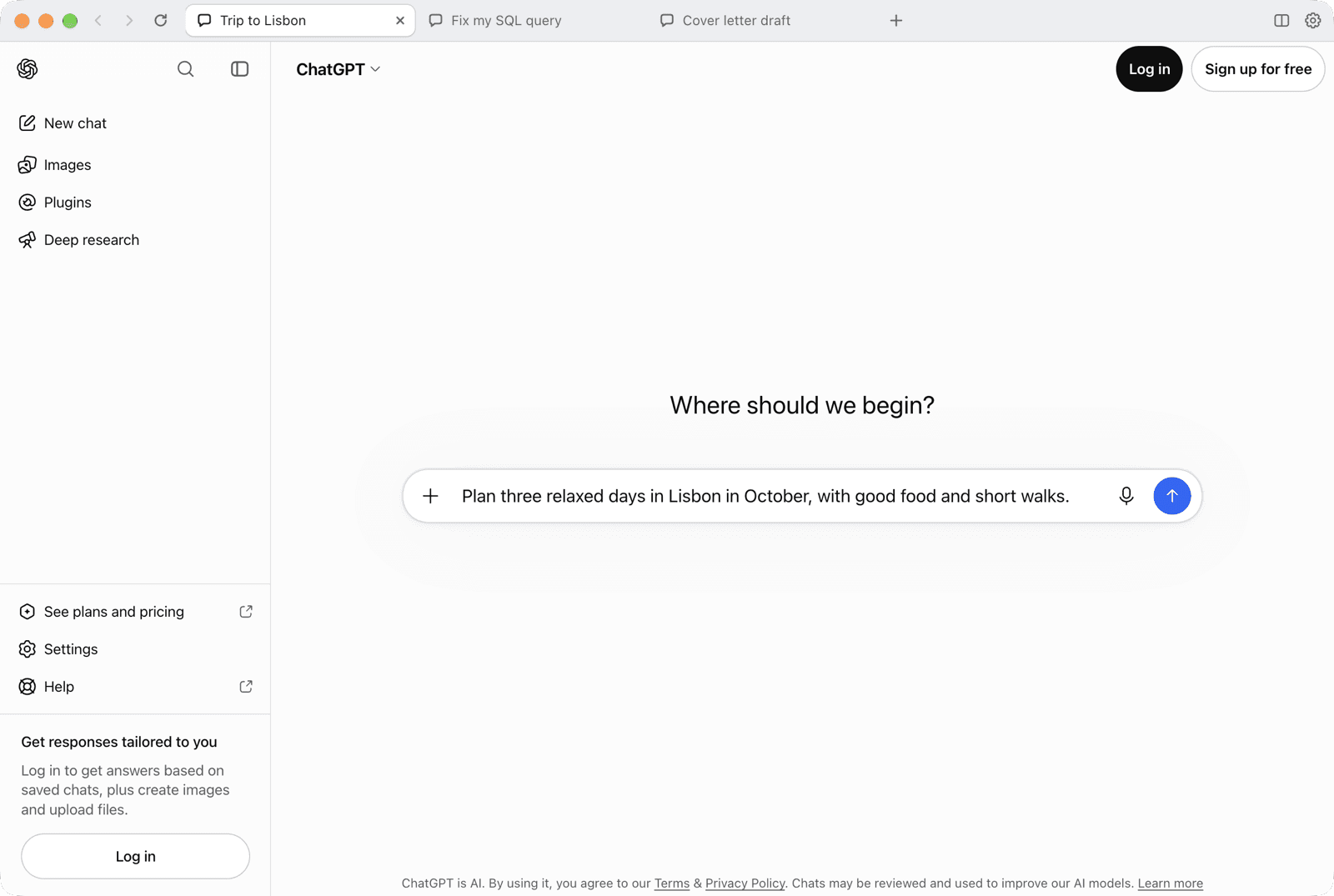
Highlights
Real tabs
Every tab is its own WebContentsView, with its own renderer process, navigation history and conversation.
One sign-in
All tabs share one persistent session. Sign in once and every tab, and every future launch, stays signed in.
Named tabs
Double-click a tab to name it. Tabs, names and order come back on the next launch.
Split view
Two columns side by side, each with its own tabs (⌘\ / Ctrl+\).
Keyboard shortcuts
Familiar browser shortcuts for new tab, close, switching, renaming and zoom.
Signed macOS build
macOS builds are signed with a Developer ID and notarized by Apple. Every release ships SHA-256 checksums.
Security and privacy
- ChatGPT tabs run sandboxed, context-isolated and with no preload, so they cannot reach the app's internals.
- Links outside ChatGPT open in the system browser, never inside the app.
- The app never reads, stores or logs passwords, MFA codes, tokens or cookie values.
- No telemetry, analytics, backend server or auto-update.
- Hardened with Electron Fuses: the app refuses to start if app.asar was modified.
Requirements
Getting started
- 1Download the right file from GitHub Releases: .dmg (macOS), setup .exe or portable .zip (Windows).
- 2On macOS, open the .dmg and drag ChatGPT Tabs into Applications.
- 3Open the app and sign in to ChatGPT once; every tab uses that session.
Licence: MIT
Open source · MIT licence
More projects
All projectsAvva Mobile Sidekick
A voice-first AI development desktop app that puts a ChatGPT conversation and a Claude Code terminal side by side, one pair per project.
Teleport
A tiny native macOS menu bar utility for vertically stacked monitors of different widths.
AvvaMobile.Core.Parasut
A NuGet package for using the Paraşüt accounting Web API from .NET applications.