Highlights
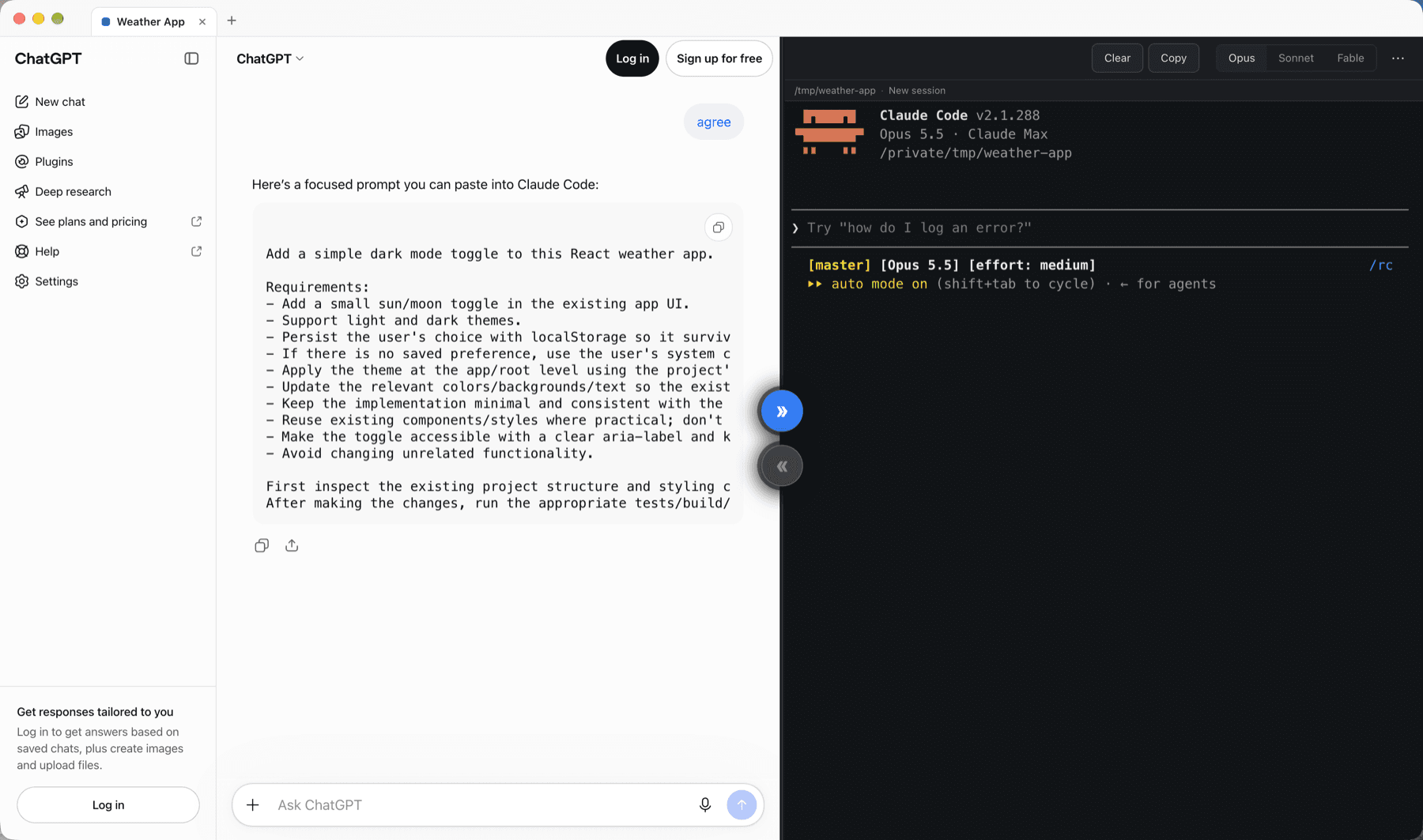
Projects as tabs
Each project has its own ChatGPT conversation, its own Claude Code session and its own folder. Switching tabs never mixes their context.
One-click handoffs
Two round buttons on the divider: Send to Claude lights up when ChatGPT has written a Claude prompt; Send to ChatGPT appears when Claude has finished.
Your Claude Code, unchanged
The right-hand pane is the real interactive claude terminal with your own settings, model, permissions and status line.
Notifications
A badge, toast and system notification tell you when Claude finishes in a project you are not looking at.
Voice-friendly
ChatGPT's voice mode works inside the app. Saying “send this to Claude” lets Sidekick send the next prompt after a 3-second countdown you can cancel.
Git summary
The review sent back to ChatGPT carries the branch, changed files, diff stats and a size-limited diff excerpt, with secret-looking files left out.
Security first
- The ChatGPT page runs in a sandboxed view with no Node.js access and no bridge of any kind to the app.
- Text written by ChatGPT is treated as data. It never starts Claude by itself.
- Claude Code runs with your own permission settings; Sidekick never passes flags that skip its prompts.
- .env files, keys and certificates are left out of the diff sent to ChatGPT.
- No analytics, no telemetry, no crash reporting. No account, no server, no API keys of its own.
Requirements
Getting started
- 1Download the macOS (.dmg, Apple silicon or Intel) or Windows (.exe) installer from GitHub Releases.
- 2The Windows installer installs for your user only, no admin rights needed.
- 3On first launch, a “Before you start” window checks what is missing and links to it.
Licence: MIT
Open source · MIT licence